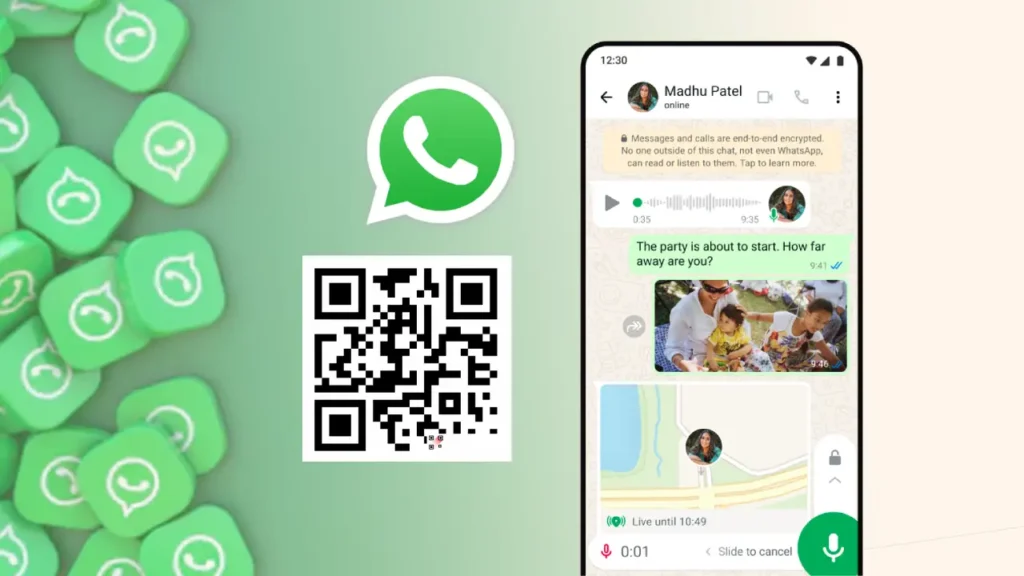
WhatsApp has now become an essential part of our daily lives. We use it for almost everything, from sending ‘Good Morning’ messages to our friends and family to sharing photos and important documents.
The end-to-end encrypted messaging platform has become so mainstream that if you go to a printing shop today, they also ask you to send the file to their WhatsApp number.
The messaging service of WhatsApp is very easy to use, but there’s a big problem.
Whenever you want to send a WhatsApp message to someone who is not in your contact list, you first have to save the number, and then you can find it on WhatsApp to start chatting.
But now, you can use WhatsApp’s official QR Codes to send a message instantly without saving a new number. Here’s the full process on how you can send a WhatsApp message directly.
Generate WhatsApp QR Code for Free
Creating a QR (Quick Response) Code for your WhatsApp number is very easy, as the Meta platform has now officially integrated a QR code system into the app itself. Follow the steps to get your own code.
- Open WhatsApp on your phone.
- Tap on the new chat option displayed as a ‘+ icon‘ in a green background at the bottom right.
- You will now find a QR Code icon in the ‘New contact’ option.
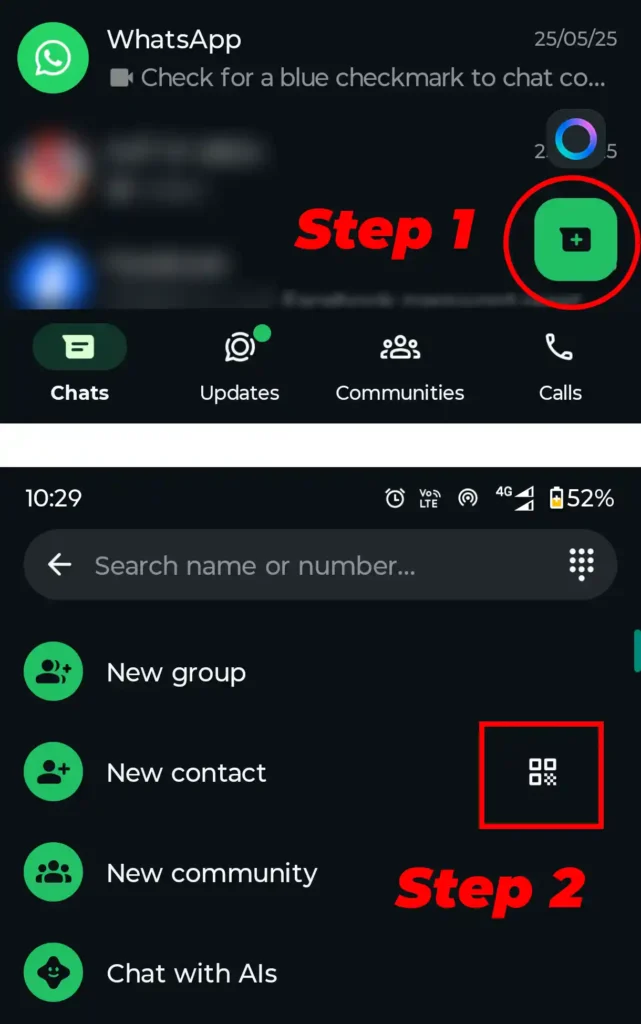
- Upon tapping on the QR icon, the option to ‘scan code’ will open through which you can scan the WhatsApp QR code of any number and start chatting.
- To get your QR code, click on the ‘My code’ option on the left of the scan code, and you will get your number’s WhatsApp QR code.
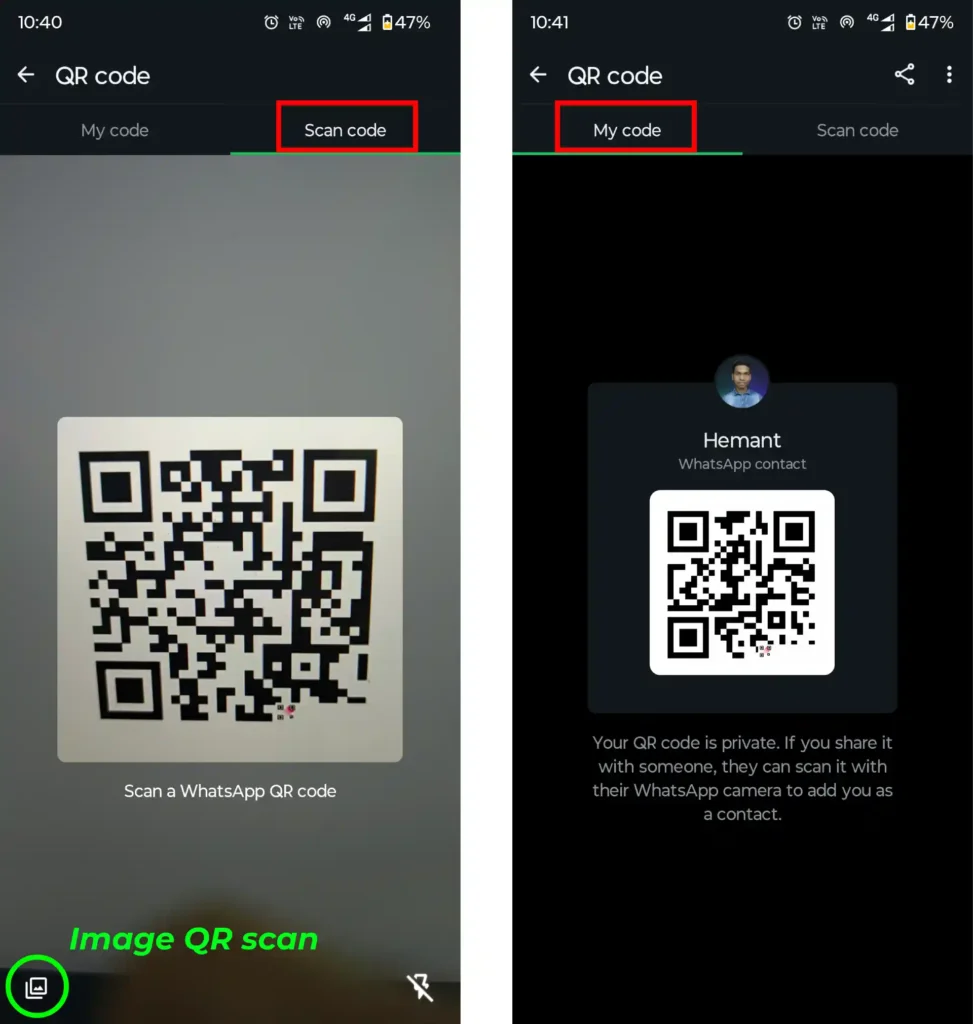
- You can share your code with anyone, and they can start a WhatsApp chat with you just by scanning the code. They don’t need to type your number and save it first.
- In the same way, you can ask for a WhatsApp QR code from anyone whom you have to message, and you can send them a WhatsApp message by scanning the QR code through the ‘scan code’ option.
- There’s also an option to scan QR codes through images available on the device. This way, you can use the WhatsApp QR codes sent to you by someone.
Sending WhatsApp Message Without Saving Number
Using WhatsApp QR Codes is one of the easiest ways to send a message without saving a number. There’s another official method to send a WhatsApp message to anyone instantly, using WhatsApp API links.
WhatsApp Number Link
https://api.whatsapp.com/send/?phone=91XXXXXXXXXX
https://wa.me/91XXXXXXXXXX
You can start chatting on WhatsApp without saving anyone’s number by using the WhatsApp API link. Just type your 10-digit number followed by ’91’ in the URL format [https://api.whatsapp.com/send/?phone=91XXXXXXXXXX].
[https://wa.me/91XXXXXXXXXX] This is the short URL of the WhatsApp number link, which redirects to the original API link. It’s very easy to use, and you can send a message instantly without saving the number to your contact list.
WhatsApp’s official help center article has a detailed guide on using links in different ways. You can even create your own link with a pre-filled message or make a ‘Chat on WhatsApp’ button for your website.