



GoodNotes continues to stand out as one of the top note-taking apps for students, educators, and digital planners alike. With an impressive set of tools, sleek design, and powerful study features, it makes digital learning and revision more accessible and efficient. But it’s not without a few rough edges.
The latest GoodNotes 6 is one of the best study-focused note-taking apps, offering powerful tools like real-time collaboration, custom templates, audio sync, and handwriting-to-text conversion.
Free to download, GoodNotes is available for ₹999/year or a one-time purchase of ₹2,999 for premium features. It is available for all platforms and has unlimited notebooks, which is ideal for students and lifelong learners.
Page Templates and Customisation
GoodNotes 6 offers a wide range of page templates and paper sizes, including custom dimensions. You can choose portrait or landscape orientation, and even customise line and background colours.
However, these customisations must be applied to each template individually, which can slow down productivity. A centralised control system for page and line colours would improve the user experience dramatically.
The app also supports colourful and customisable notebook covers. While some users prefer no covers for easier content previews, the added variety in colour and design may appeal to visual organisers and planners.
Handwriting Tools and Writing Experience
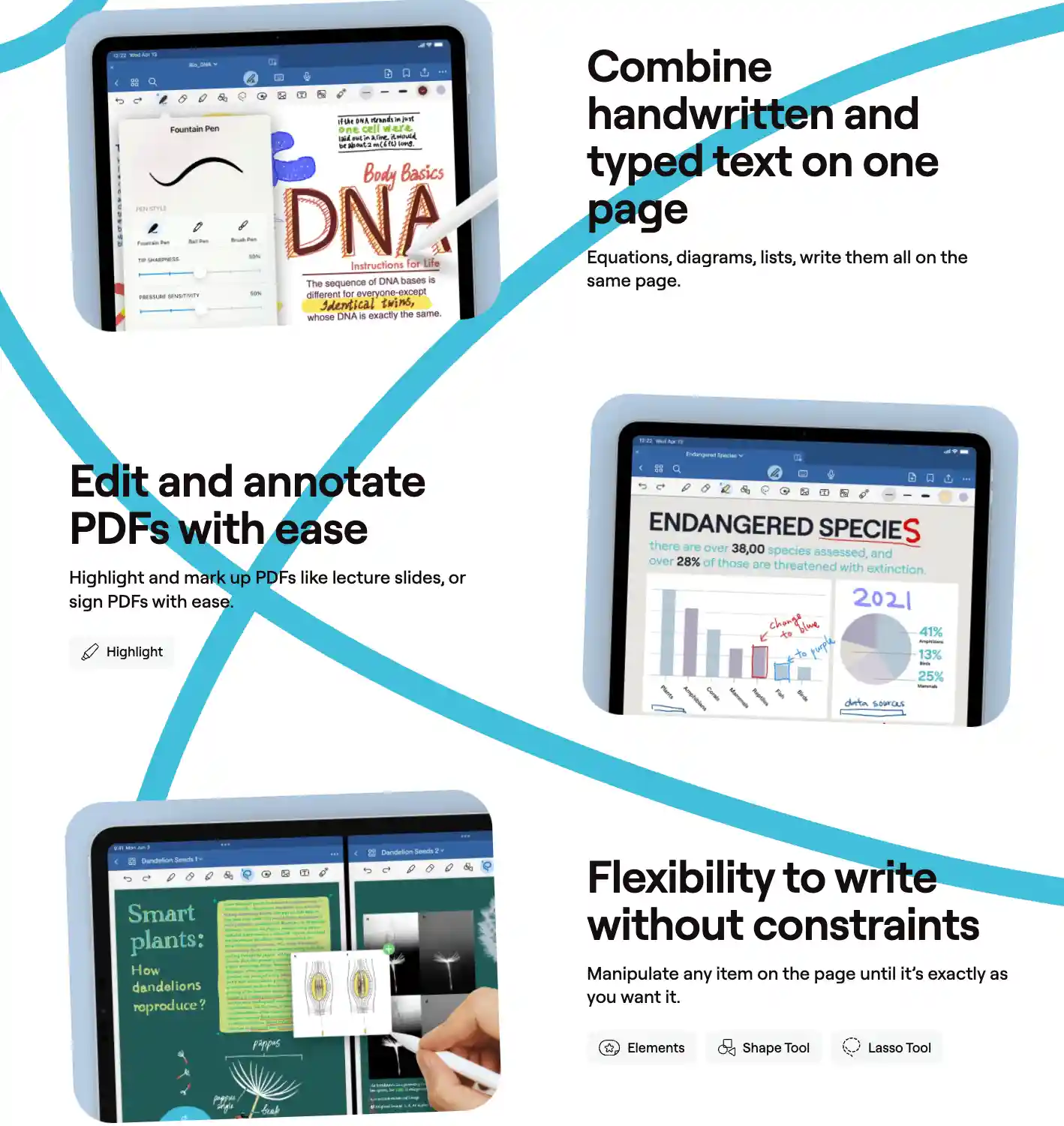
GoodNotes provides three pen types: fountain, ballpoint, and brush. Users can customise colours and thickness, and now have access to a colour picker with twelve swatch slots.
However, pressure sensitivity seems inconsistent, and the toolbar still limits thickness options to three. Despite this, the handwriting feels better than ever. Writing is smooth and natural across all pen types.
Highlighting and Erasing
The highlighter tool works intuitively, sitting behind text without dimming it. The eraser supports per-stroke, per-pixel, and highlighter-only erasing, with auto-deselect to return you to your previous tool. These make annotating and editing smoother for academic note-takers.
Zoom Tool and Text Options
The zoom tool helps with detailed writing and offers auto-advance with adjustable margins. While it’s useful, zooming directly on the page is still faster.
Text boxes are flexible, allowing customisation of fonts, size, background, border, padding, and even shadows. This makes typed notes highly stylised.
Shapes, Images, Stickers & New Ruler Tool
Shapes in GoodNotes are easy to draw and edit, though options remain limited (no fill opacity or border colour changes for circles).
The new ruler tool allows accurate measurements in cm or inches. The app also supports image cropping, resizing, and rotation. Stickers are editable and shareable, perfect for digital planners.
Audio Recording and OCR
GoodNotes now includes audio recording that syncs with handwritten notes. However, syncing with typed text is minimal.
OCR supports 17 languages and allows handwriting-to-text conversion, but the two-step process could be simplified. The app can also convert math equations, though not editable.
AI and Experimental Features
AI in GoodNotes is still a work in progress. While it attempts spell check and word completion, its accuracy is limited, and users feel the burden of training the AI.
The app includes several experimental features, like study sets and body text, but lacks opt-in options.
Organisation, Search, and Collaboration
GoodNotes shines in collaboration. Users can work on notes in real time, leave comments, and get update notifications.
Organisation supports unlimited folder levels, bookmarks, and outlines. The search tool is powerful, scanning handwritten notes, PDFs, and typed text.
Presentation Mode and Exporting
Users can present notes via full screen, presenter page, or entire screen with tools. The laser pointer adds interactivity. Export options include various file formats for sharing and backup, providing flexibility for multi-device use.
GoodNotes is arguably the best app for study and academic productivity. Its real-time collaboration, hyperlinked documents, flexible writing tools, and powerful search make it ideal for students.
However, the lack of a favourites toolbar, ongoing experimental features, and basic AI functions shows that there’s still room for improvement. With future updates, it could become the ultimate all-in-one digital study hub.


